


Department of Finance
Finance touches every industry. And we study every aspect.
Here, we do more than prepare students to excel in the world of finance—our faculty take the field to new heights with revolutionary research and industry collaboration.
Featured Program
Online Master of Science in Finance
With an emphasis on advanced analytical and technical skills, the Online Master of Science Finance is designed to prepare you for competitive positions across dynamic industries.
Featured Program
Master's in Finance
Intensive, immersive, and hands-on, the Master of Science in Finance helps you hone real-world professional skills at the top of your field. And our world-renowned faculty are there to guide you every step of the way.
WSJ.com subscriptions are now available for free to current University of Arizona faculty, staff and students!
This access is courtesy of the Eller College of Management’s Department of Finance and is made possible through a generous donation by anonymous alumni in recognition of David Laskin ’21 BSBA (Finance) as the 2021 Pac-12 Scholar-Athlete of the Year.
Our Finance Academic Programs

Our rigorous, four-year finance program propels you to the top of your field. Graduates go on to work for top firms, including Goldman Sachs, Intel, JPMorgan Chase and Vanguard.

Hone your advanced analytical and technical skills in our nationally recognized, STEM-designated Master of Science in Finance that offers two areas of specialization: corporate finance and investment management (including prep for the CFA and CAIA exams).

As an Online Master of Science in Finance student, you will gain applied expertise in current financial topics, projects, and methods. Our students conduct in-depth finance research and work alongside faculty researchers studying everything from mergers and acquisitions to asset management.

The doctoral program in finance is designed to prepare you for a career as a top university professor and leading researcher in corporate finance, investments and financial institutions.

Make the most of your investments. Invest in Finance at Eller.
You recognize a good investment when you see one. Investing in the Department of Finance at Eller supports long-term excellence in finance research, teaching and student scholarship.
Meet Finance Students, Alumni and Faculty
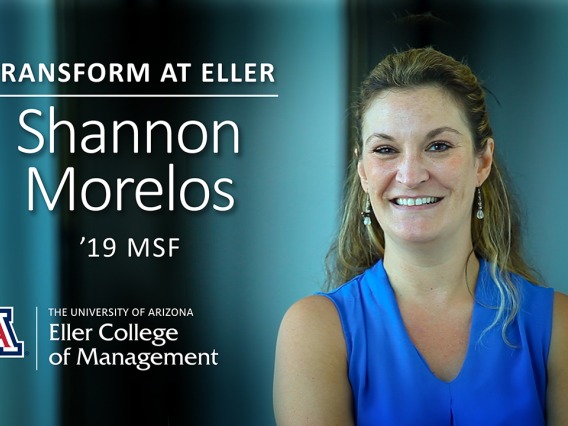
After overcoming a difficult childhood, Eller alumna Shannon Morelos '19 MSF shares how she plans to use her education in finance to be an advocate for others and challenge the status quo.

From an early age, Alex Andrino '18 BSBA (Finance) had a knack for business and finance. In fact, you could probably say that by middle school, running a business was a piece of cake for her, so to speak. Turning a passion for baking into a passion for banking, thanks in part to the Wall Street Scholars Program, she now works on Wall Street.

A recent study co-authored by Eller Associate Finance Professor Scott Cederburg and Assistant Finance Professor David Brown approached the question of investment from an angle of risk largely overlooked: the uncertainty of future tax rates.
Explore the Department of Finance
Wall Street Scholars Program
This program bridges the gap between academic learning and professional experience—last year, 100 percent of the program’s students received internships on Wall Street. Even better? Every single one turned that internship into a full-time job offer.
Financial Matters Newsletter
Financial Matters is the annual newsletter of the Department of Finance, featuring news, student and alumni profiles, awards, student engagement, faculty research and more.
Faculty Research
Our exceptional faculty are known for their cutting-edge research, which has been featured in leading publications, including The Economist, The New York Times, The Wall Street Journal and Forbes.
News



Contact Us
By Phone
520-621-7554 office
By Email
General Inquiries
financeinfo@email.arizona.edu
MSF Program Inquiries
celinelucas@arizona.edu
By Mail
McClelland Hall 315R
The University of Arizona
P.O. Box 210108
Tucson, AZ 85721-0108